After an account is created and sign-in succeeds, the portal opens company registration when that account is not yet linked to a company or facility.
Search uses a combination of two identifiers: Registration number (company ID) and Tax ID. The portal then loads matching data from APR (the Serbian Business Registers Agency).
What happens next depends on whether the company is already in NRIZ:
- The company is not registered yet — Register a company
- The company is already registered — Request access to the company
Register a company
This path is used when the company is not yet registered in NRIZ.
Find the company
This step finds the company that should be registered.
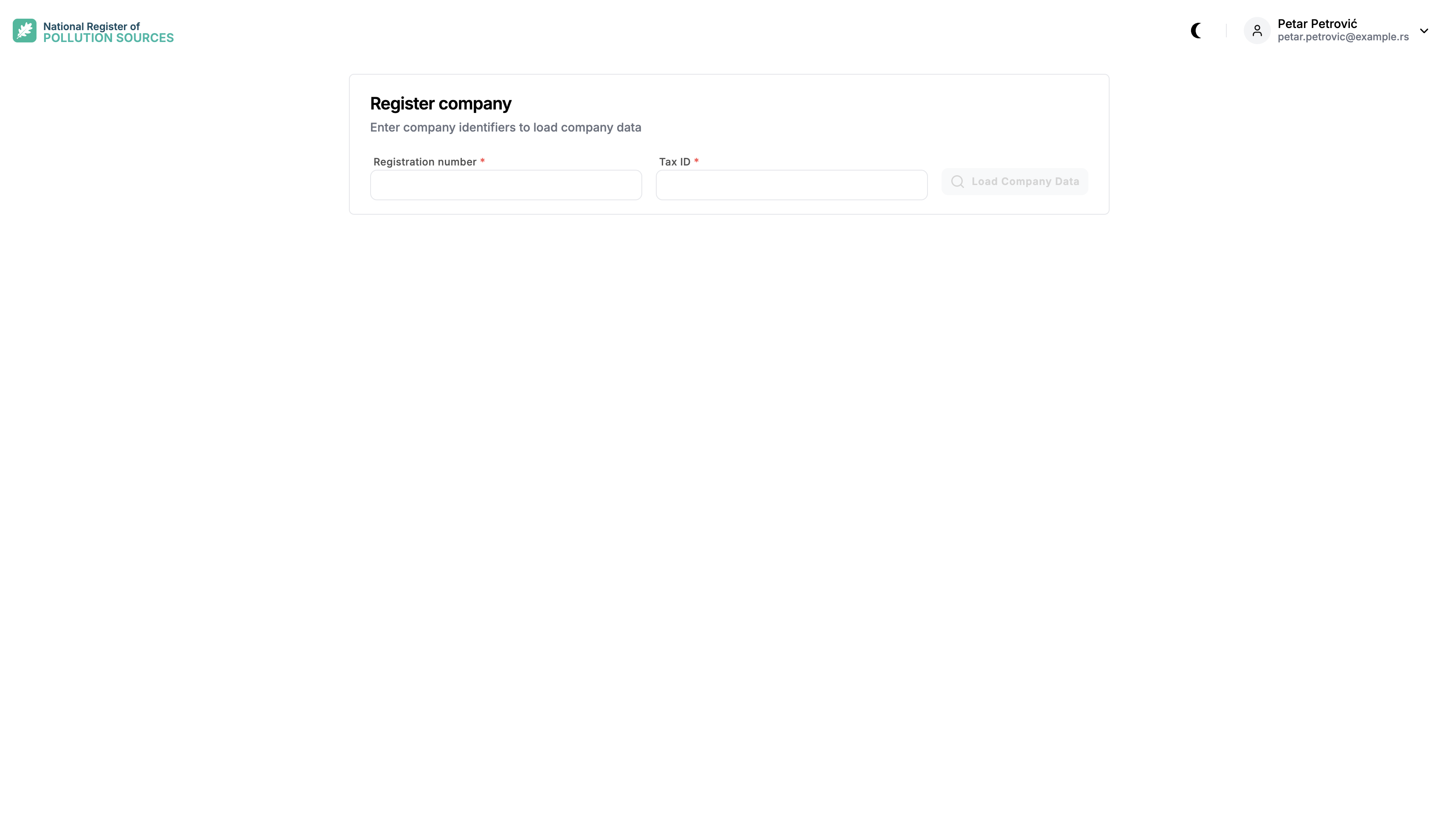
Enter Registration number and Tax ID, then select Load Company Data.
After a match is found, data from APR is shown so the company can be checked before registration continues. The check is to avoid registering an unintended company.
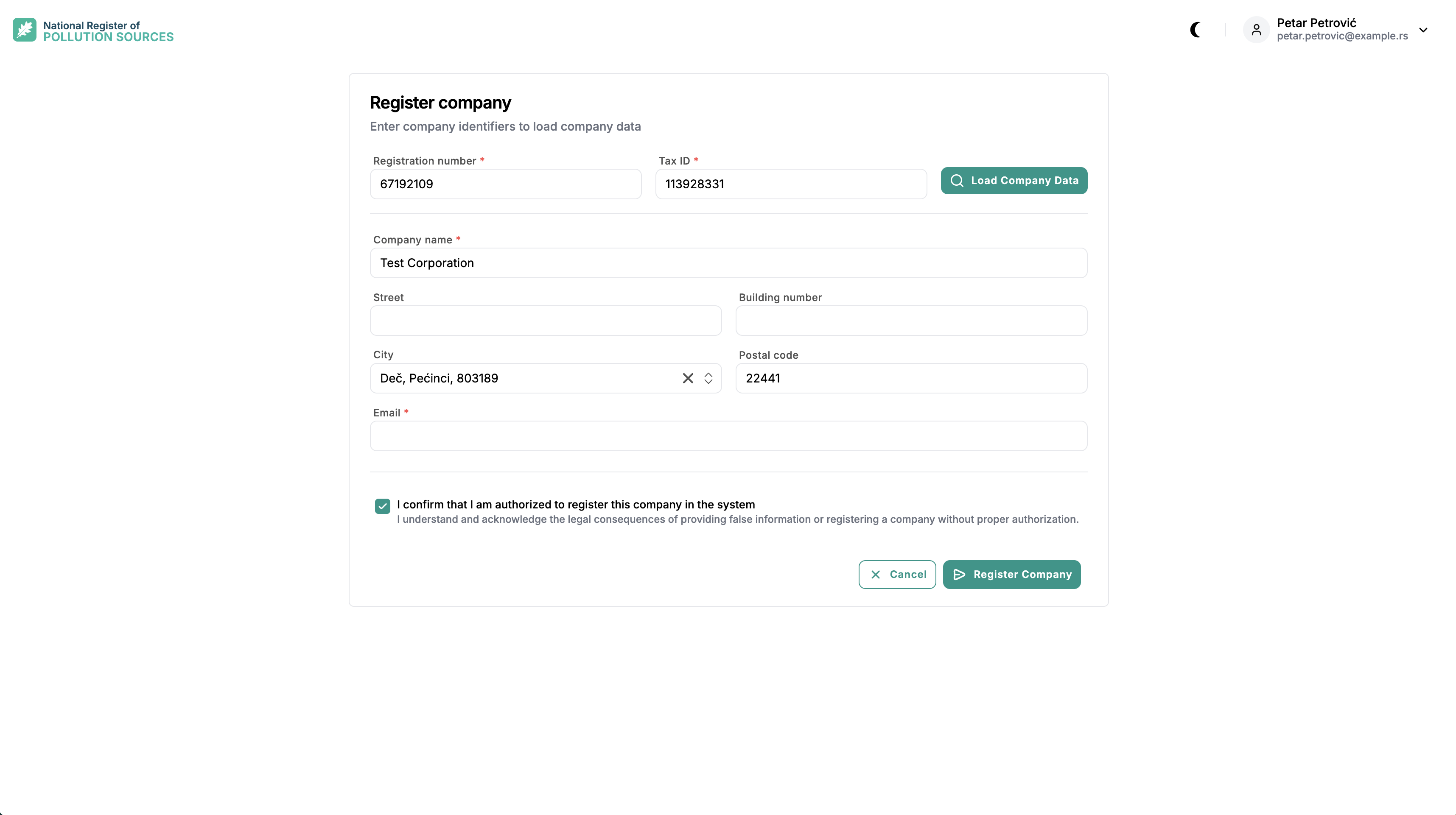
All loaded values can be changed except Registration number and Tax ID. Company name and Email must be filled in.
If the record is not the intended company, the identifiers can be corrected and the search repeated.
Submit the registration
After the data is checked, confirm the authorization statement and select Register Company.
The portal sends a PDF registration form to the entered Email. The PDF is prefilled with the company data from the form.
Company registration must be approved by a NRIZ administrator. Until approval, the company is not available in the portal.
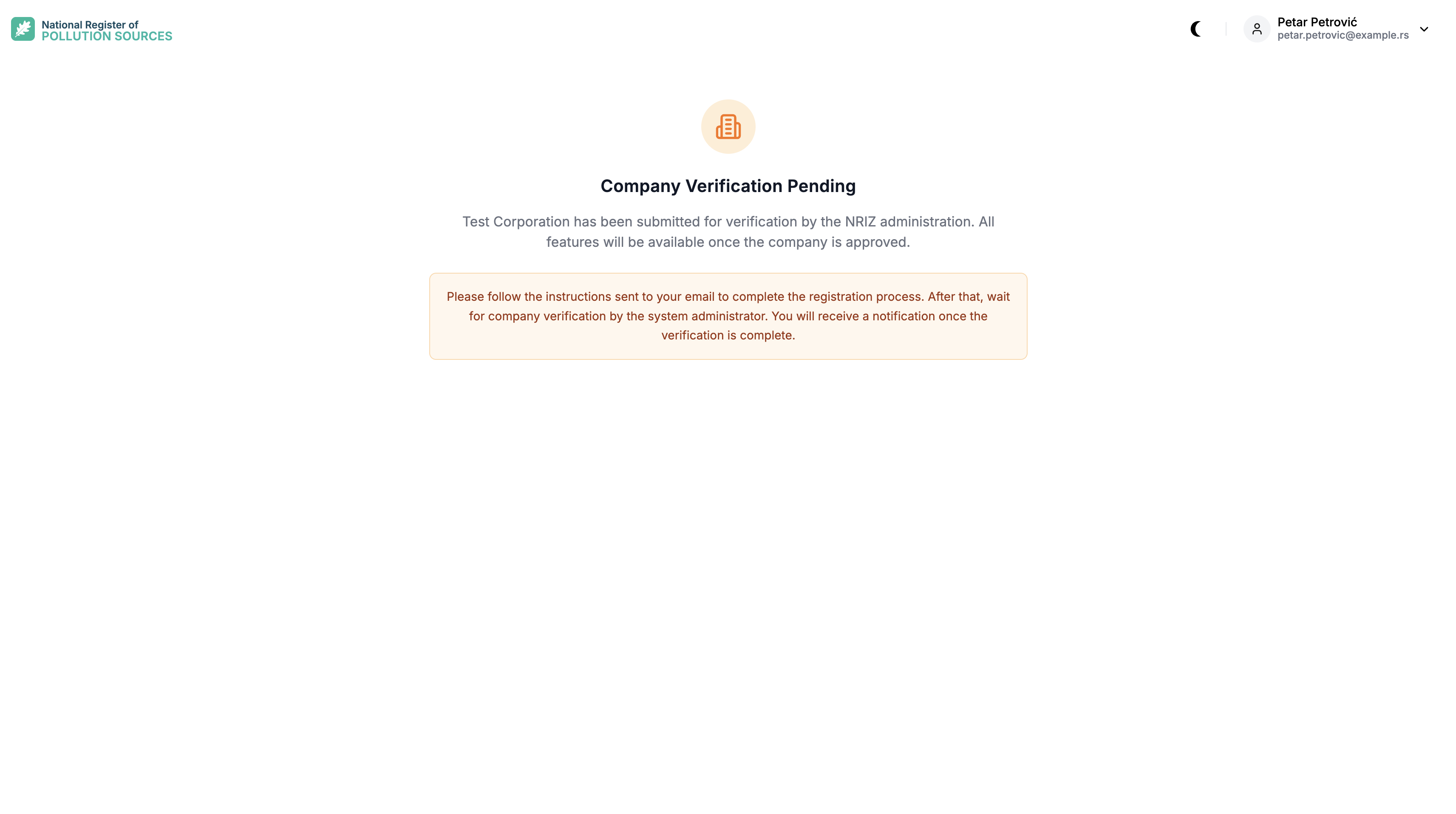
When the registration is approved, two emails are sent:
- An information email about the approval — to the user account email
- A verification code — to the company email entered on the registration form
When the registration is rejected, an email with the result is sent to the user account email.
Survey
After approval, the next sign-in opens the Company Environmental Compliance Survey. The survey must be completed to finish company registration. It provides the initial setup of the company and its reporting obligations.
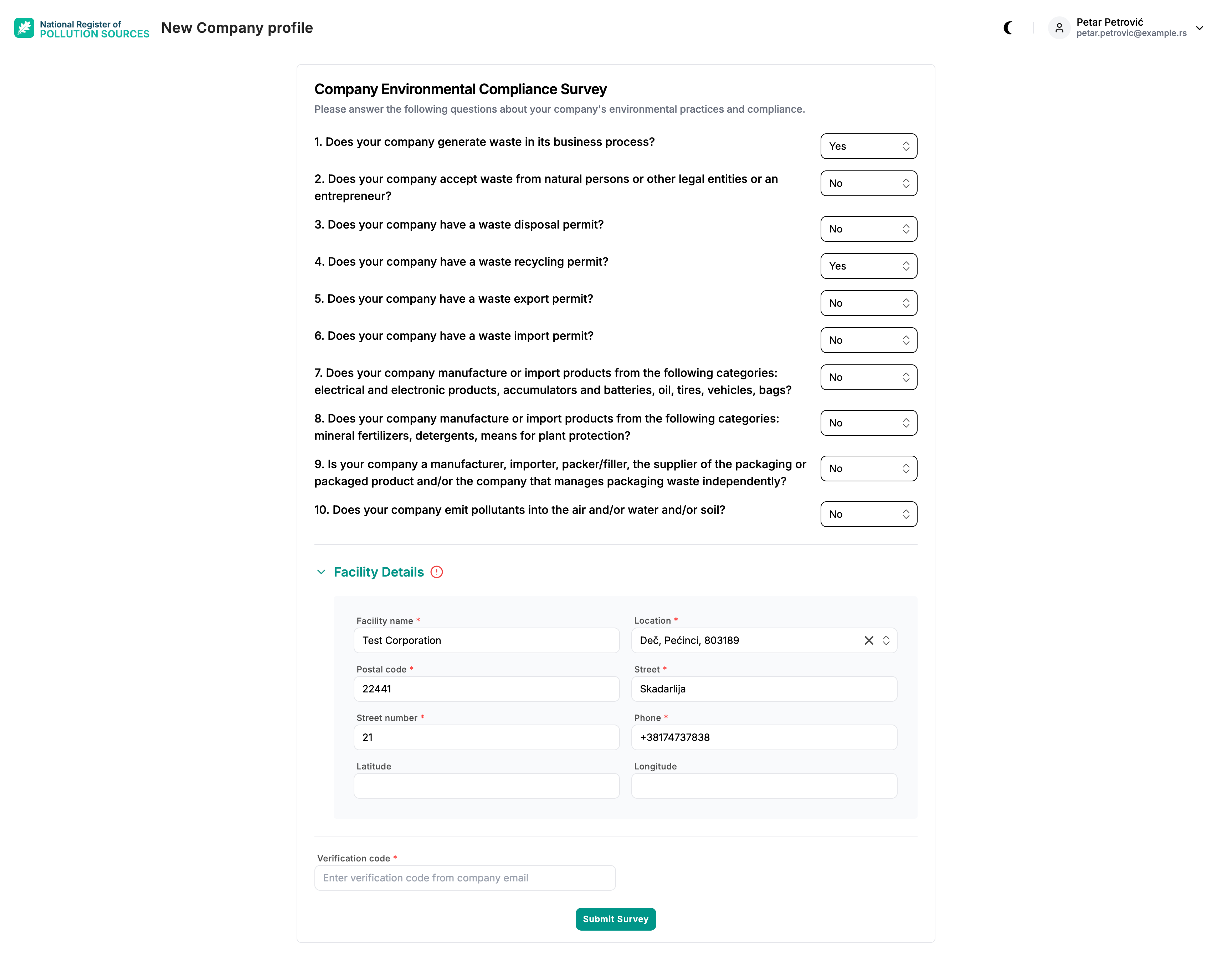
The survey has 10 yes/no questions:
- Does your company generate waste in business processes?
- Does your company collect waste from individuals or other legal entities or entrepreneurs?
- Does your company have a waste disposal permit?
- Does your company have a waste recycling permit?
- Does your company have a waste export permit?
- Does your company have a waste import permit?
- Does your company manufacture or import products from the following categories: electrical and electronic products, accumulators and batteries, oil, rubber, vehicles, bags?
- Does your company manufacture or import products from the following categories: mineral fertilizers, detergents, plant protection products?
- Is your company a manufacturer, importer, packer/filler, supplier of packaging or packaged products and/or a company that independently manages packaging waste?
- Does your company emit pollutants into air and/or water and/or soil?
For some Yes answers, facility details must also be entered.
At the end, enter the verification code from the company email and select Submit Survey. When the survey is submitted successfully, company registration is complete.
Request access to the company
This path is used when the company is already registered in NRIZ.
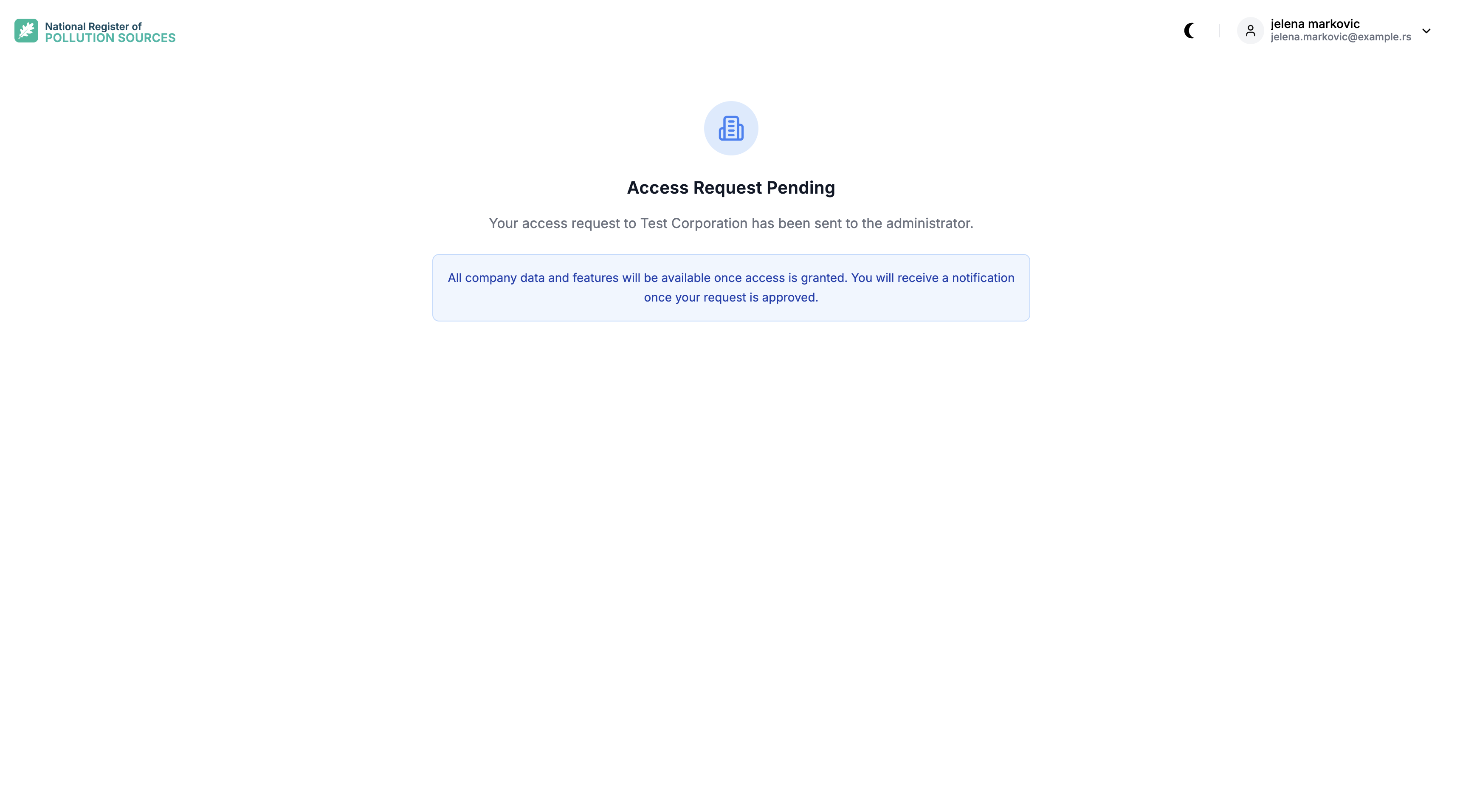
Search with Registration number and Tax ID as in Find the company. When the company is already in NRIZ, the portal shows Company Already Registered and offers Request access.
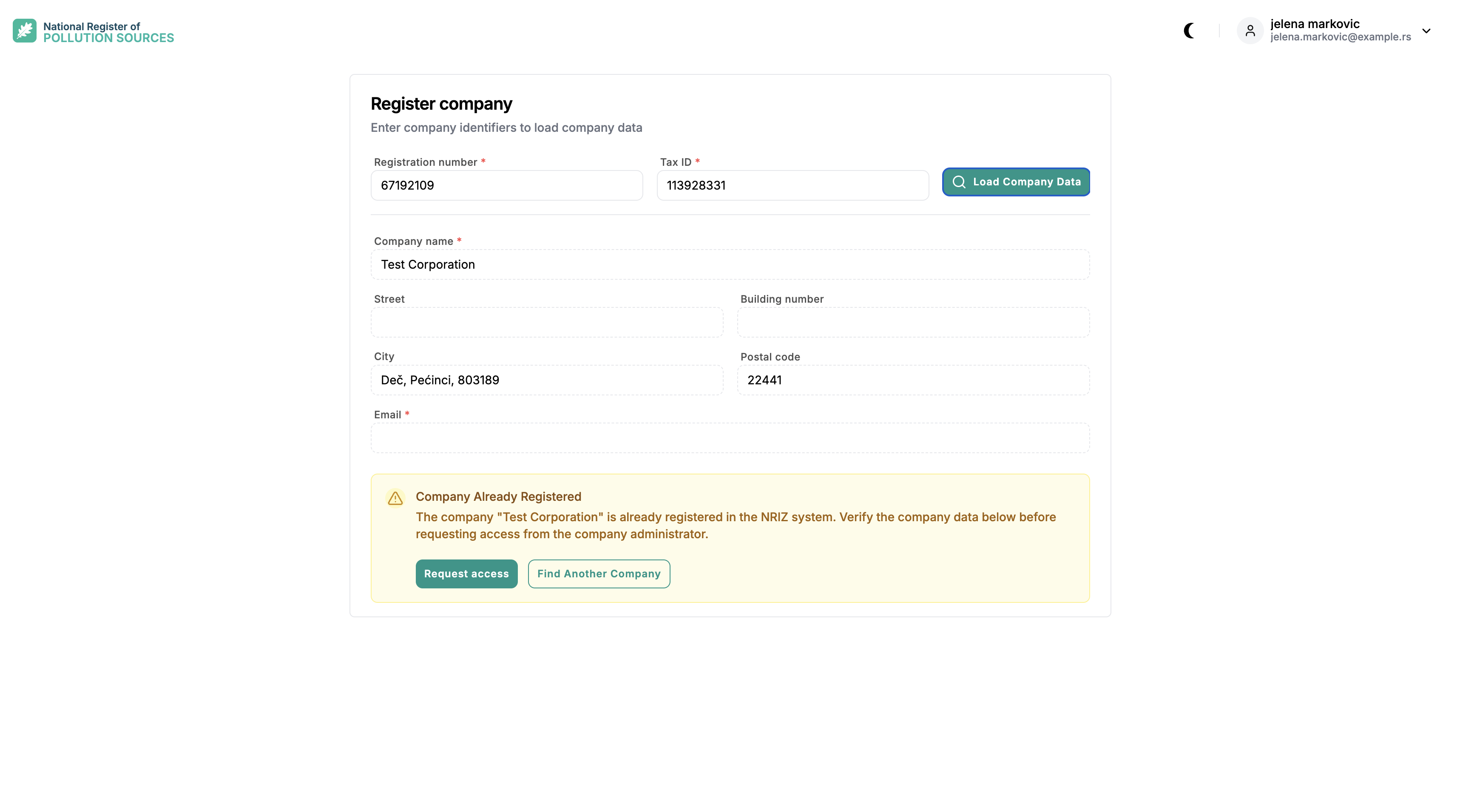
Select Request access to ask the Company Admin for access. Find Another Company starts a new search.
After the request is sent, the portal shows Access Request Pending. The Company Admin decides whether to grant access. The requester is informed of the result by email. Until access is granted, the company is not available for that account.